
Forgot Your Password? Fix DM Play Login Trouble Fast
Two things are enough to sign in to DM Play: the phone number or email you registered with, plus the password set during registration. Entering either one wrongly blocks entry. A mistyped number, a forgotten password or a spoof site is behind most login trouble.
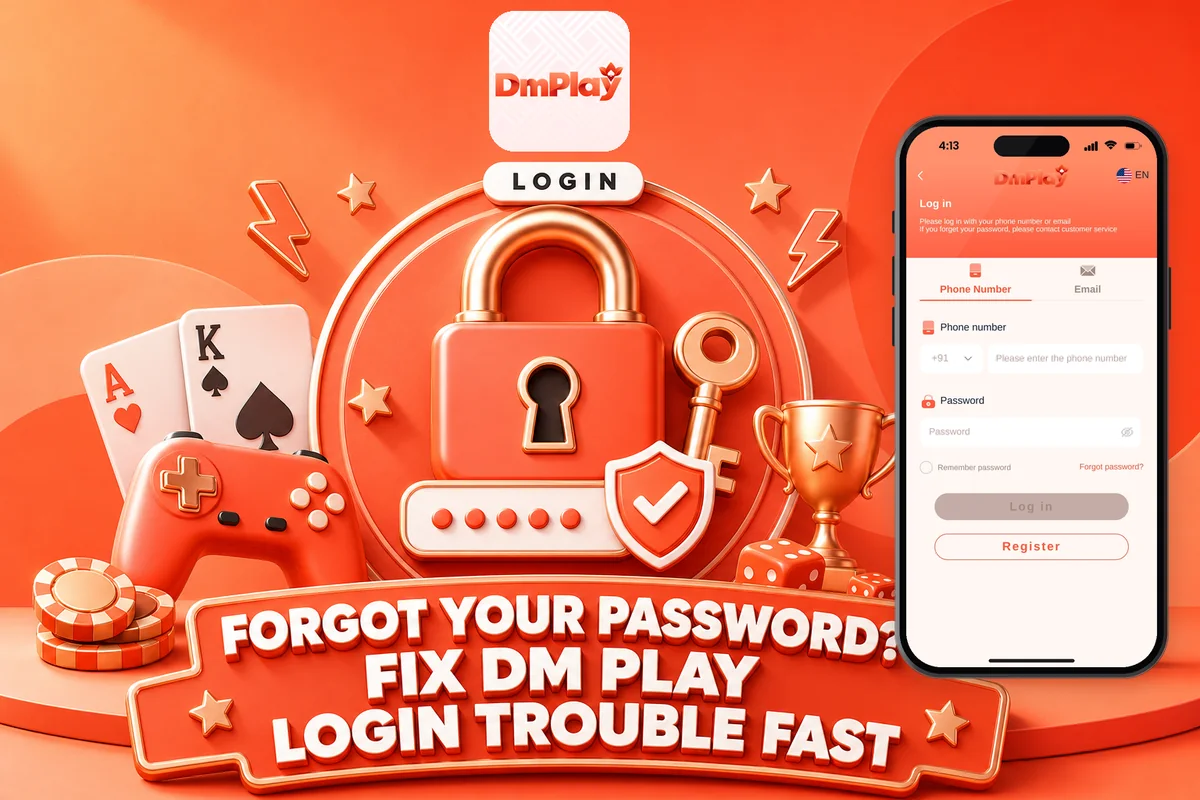
Below you will find the exact login steps, what to do when you forget your password, how to change it from Account settings, and when to contact Customer Service. If you have not made an account yet, start with joining DM Play and come back here once your number and password are set.
The app is a real-money platform strictly for users aged 18 and above. Keep your login details to yourself, because the same password also approves every withdrawal.
How To Do DM Play Login With Phone Number Or Email
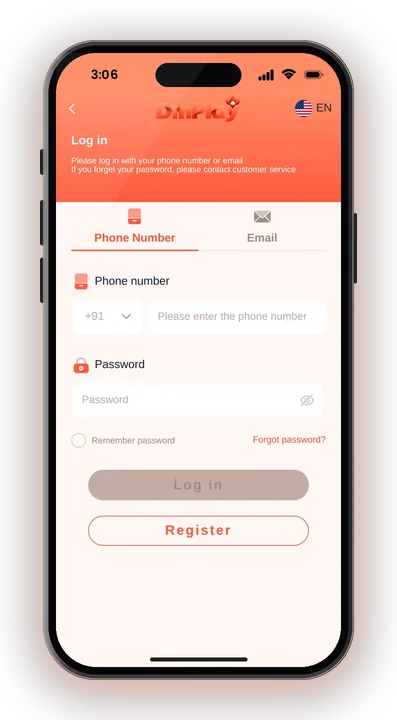
Sign in using the phone number or email tied to your account, followed by your password, on the login page. Indian numbers carry the country code +91, so after it just enter your 10-digit number.
Go to the DM Play official site or open the installed app. Avoid links shared in random groups, since copy sites look almost the same.
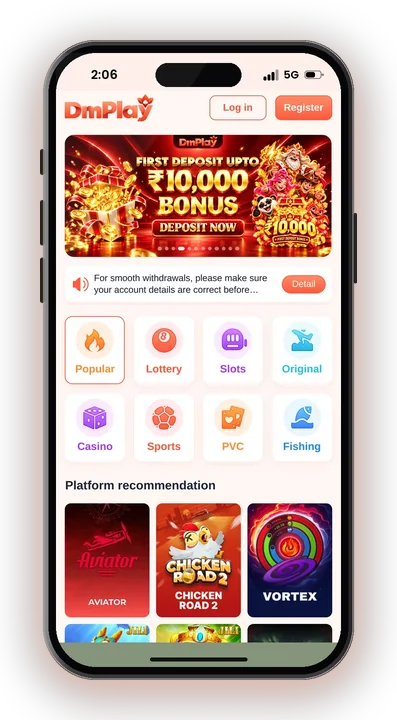
Pick the tab that matches the way you signed up. An account created with a phone number cannot be found from the email tab.
Check that +91 is selected and that there is no extra space or zero at the start of the number.
Enter the password you set at registration. Tap the eye icon to see what you typed before you submit.
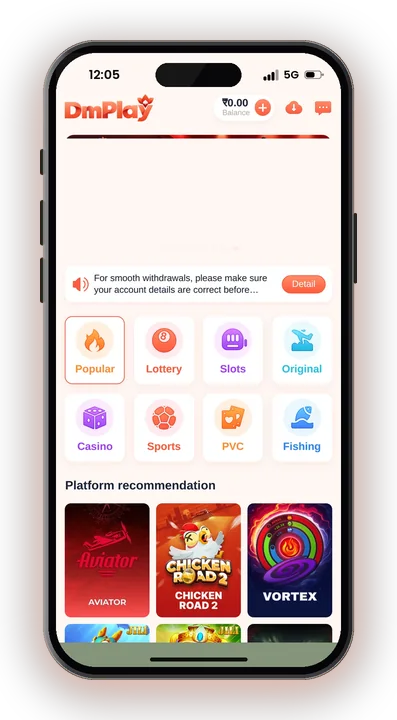
Your Balance, Wallet and games load on the home screen once the details match.
A small habit helps here: note down whether you joined with phone or email. Many players who say their account has vanished simply used the other option.
Why Is My DM Play Login Showing Wrong Password?
A wrong password message on a login attempt means the number or email and the password you typed do not match what the account holds. Before you assume the account is blocked, check the simple causes one by one.
Typing Errors And Auto-Fill
The password set during registration is a 6-letter one, and it is case sensitive. A capital letter typed by your keyboard’s auto-capital setting is enough to fail the login.
Phone browsers also auto-fill old passwords saved from another site. Clear the field and type it fresh instead of trusting the saved entry.
Wrong Account Or Wrong Website
If you have two numbers, try the other one. Some players registered with a family member’s number and forgot.
Also look at the address bar. A copy site will reject your real password because your account does not exist there, and it may be trying to collect your details.
Recently Changed Password
If you changed your password on one phone, the old one stays saved in your other browser or app. Update it everywhere so you do not keep entering the old version.
How To Reset A Forgotten DM Play Password
If your password slips your mind, press Forgot password on the login page, or contact customer support to get help with your account. Both choices appear on the login screen.
You will find it under the password box on the login page.
Enter the very phone number or email you used to join, because the reset is tied to that detail.
Follow the on-screen check, then type a new password and confirm it. Never share any code you receive with anyone, including people claiming to be support.
Go back to the login page and use the new password straight away to confirm it works.
If the reset does not go through, for example because you no longer use that number, contact Customer Service instead. Keep your registered number, username or user ID and recent deposit details ready, as these help prove the account is yours.
Change Your Password From Account Settings
You can change your password any time after you log in, from the Setting icon on the Account page. Do this if you think someone else knows it or if you used the same password on another app, even after a login that looked normal.
Tap Account at the bottom of the home screen.
This opens your profile and security options.
Select Login Password from the list.
Re-enter the password you use now to prove it is you.
Type the new password, then type it again in the confirm box.
Log out and back in once to check the change saved.
Your login password is also asked for on every Withdraw request. That makes it the key to your money, not just your account, so pick one nobody can guess and do not reuse your UPI PIN.
Other Login Problems And How To Fix Them
Not every failed login is a password problem. A slow page, an old app version or a copy site can also stop you getting in.
Page Not Loading Or Stuck
Switch between mobile data and Wi-Fi, then reload. Clearing the browser cache often fixes a login button that does nothing.
If you use the home screen shortcut, try opening the site directly in Chrome once to see if the problem is the shortcut.
App Asking For Login Every Time
This usually happens when the installation was faulty or a storage cleaner wipes the app’s data. Reinstall it using the download icon in the site’s top right corner. You can find the steps to download the DM Play app on a separate page.
Account Frozen Or Restricted
According to the company, accounts used for dishonest bonus withdrawals may be frozen or cancelled, and illegal betting, such as placing Big and Small bets together, is against the rules. Resetting the password won’t unfreeze an account, so get in touch with Customer Service directly.
When To Contact DM Play Customer Service
Contact Customer Service when Forgot password fails, when you no longer have your registered number, or when your account seems locked after a login attempt. You can reach it from the Account page and the Service center inside the app.
If you joined through an agent, the Promotion page also has an Agent line customer service option. That line is useful for questions about invites and commission, while login and account access issues are better handled by the main Customer Service.
Explain the problem in one clear message: your registered number or email, what error you see, and what you already tried. For a login issue, support can act faster with that than with a vague ‘cannot login’.
Keep Your DM Play Login Safe From Scams
The platform tells players to use the official DMPLAY website only for any DM Play login and to contact support for any account help. Fake sites and fake support agents are the most common way players lose their accounts.
No DM Play Hack Exists
Anyone who sells a DM Play Hack, a predictor app or a ‘login mod’ is running a scam. Game outcomes are random, and such tools exist only to steal your password, deposits or OTPs.
Never type your login details into a third-party app that promises sure wins on DM Play Game rounds like Win Go.
Protect OTPs And Payment Details
Do not share your OTP with anyone, and avoid using your phone number as your UPI ID. Once the account name from your first withdrawal is saved, it is locked, so an outsider with access could badly upset your DM Play Withdrawal settings.
Play With A Fixed Budget
Only players who are 18 or older can use DM Play, and real-money games carry a true risk of losing cash. Set a fixed budget, bet small amounts, and check that real-money gaming is allowed in your state.
DM Play Login – FAQs
Can I log in to DM Play with email instead of phone?
Yes. The login page accepts a phone number or email. Use the same one you registered with, as the other option will not find your account.
How many letters should my DM Play password have?
The registration form asks you to set your own 6-letter password and confirm it. Remember it is case sensitive when you log in.
Will changing my password affect my balance?
No. Updating it through Account, Setting, Login Password changes only how you sign in. Your Wallet balance remains untouched, but you must use the new password when withdrawing.
What if Forgot password does not work?
Contact Customer Service from the Account page or Service center. Share your registered number or email and describe the error you see.
Final Words
Most DM Play login trouble is fixed in a minute: check phone or email, type the password fresh, and use Forgot password if needed. If that fails, Customer Service in the Account page can help you get back in.
Change your password from Account settings at regular intervals, stick to the official site, and refuse anyone who offers hacks. Play only if you are 18 or older, and only with money you can afford to lose.