
How Long Does A DM Play Withdrawal Take To Arrive?
A DM Play withdrawal usually moves fast once your request is clean: the platform advertises fast deposit and withdrawal, but it does not publish a fixed arrival time. How quickly the money reaches you depends on your method, whether your bet requirement is at zero, and whether your account details are correct.
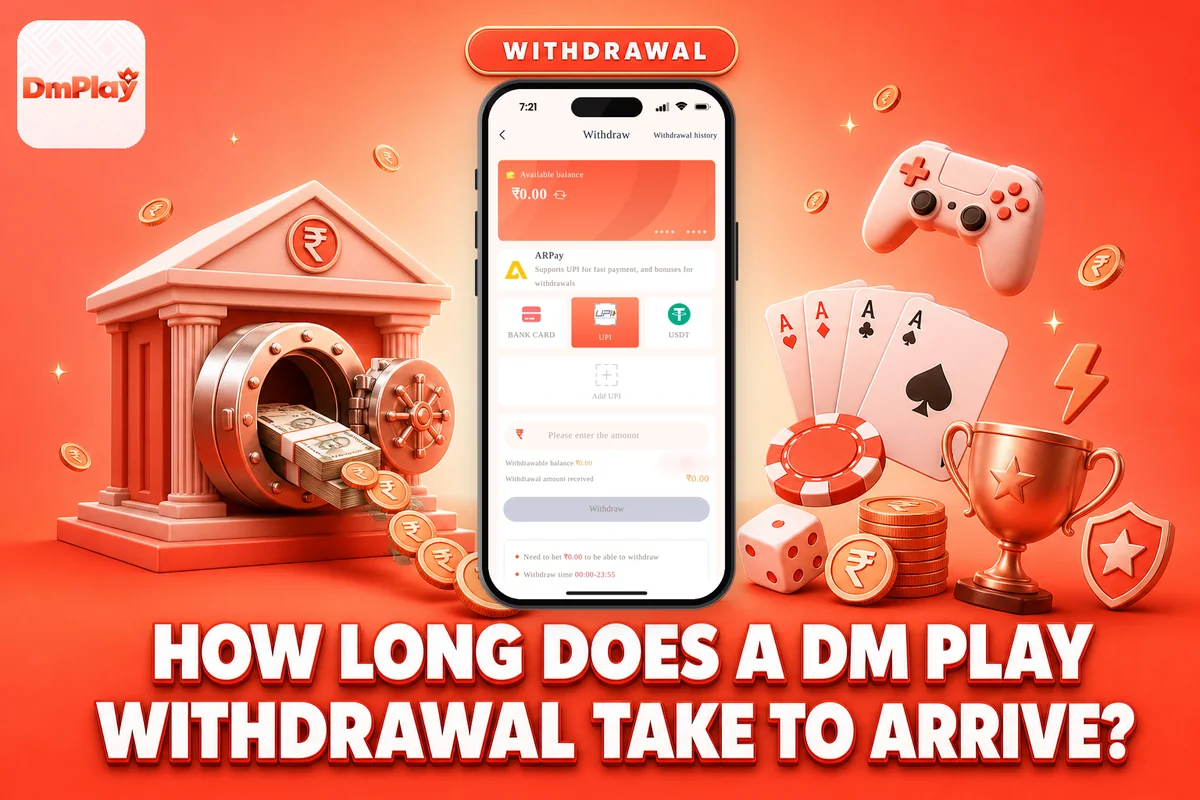
Most delays come from small errors, such as a wrong IFSC code, a name that doesn’t match, or a bonus turnover requirement that hasn’t been cleared yet. Here you’ll find the exact steps, the limits for each method, the cap of 3 withdrawals per day, the processing times, and what to do if your money doesn’t arrive.
Real-money gaming is strictly for people aged 18 or older, and every rupee you put in can be lost. Withdraw your winnings whenever you can, and keep to a fixed budget while playing.
How Long Does A DM Play Withdrawal Take To Reach You?
DM Play does not publish any fixed processing time for withdrawals, so be sceptical of precise claims made on social media. The platform describes its deposits and withdrawals as fast, and you can submit a DM Play withdrawal request at any time from 00:00 to 23:55.
For UPI and bank withdrawals, the platform first has to approve the request, after which your bank must credit the money. USDT has an extra step in the DM Play withdrawal process: the blockchain main network needs to confirm the transfer 3 times before it reaches your wallet address.
In practice, the biggest factor is you. A request with a cleared bet requirement, a correct bank account and a matching name moves through without questions. A withdrawal request with any mismatch sits until it is fixed, and that is where most “slow withdrawal” complaints really start.
If you want the current timing for your method, open Customer Service from the Account page inside the app and ask before you submit your withdrawal request.
DM Play Withdrawal Limits For UPI And USDT
Every withdrawal method carries its own minimum and maximum amounts, yet all three follow the same timings and the same limit of 3 withdrawals a day under the withdrawal rules here.
| Method | Minimum | Maximum | Withdrawal hours | Per day |
|---|---|---|---|---|
| UPI | ₹110.00 | ₹10,000,000.00 | 00:00-23:55 | 3 |
| UPI | ₹110.00 | ₹50,000.00 | 00:00-23:55 | 3 |
| USDT | ₹1,030.00 | ₹10,000,000.00 | 00:00-23:55 | 3 (needs 3 blockchain confirmations) |
New players most often get caught by the 3-a-day limit. Suppose you make three ₹200 withdrawals in the morning: a fourth request in the evening will not be allowed, even after more winnings. It is smarter to make a single bigger request than many small ones.
UPI tops out at ₹50,000.00 per request, so a bigger amount is better sent through USDT. The window closes at 23:55, so do not wait until midnight to submit; anything after that has to wait for the next window.
How To Withdraw Money In The DM Play App
The withdrawal page sits inside your Account menu. Log in first; if you are locked out, sort out your DM Play Login before anything else.
Tap Account at the bottom of the screen and choose Withdraw.
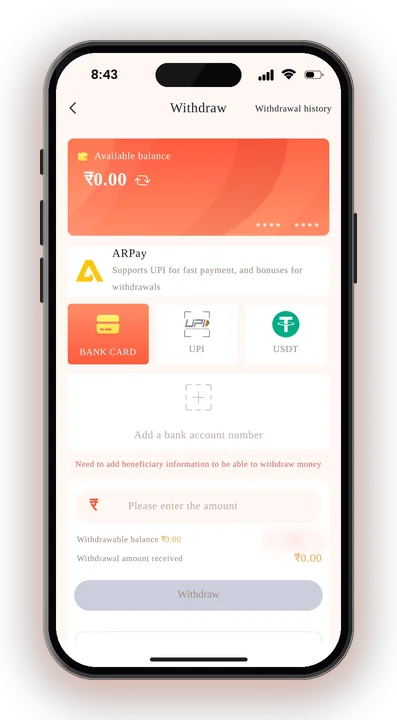
Make sure the remaining bet requirement shown is zero. If it is not, the request will not go through.
Pick a saved bank account, or tap to add one with your name, account number, phone number and IFSC code.
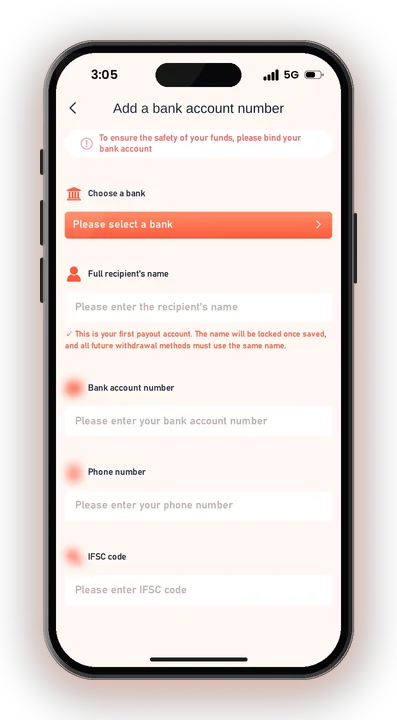
Type the amount you want to withdraw, staying inside the minimum and maximum for your method.
Type in your login password to confirm. It is the same password that you use to sign in.
Submit the request and take note of the amount and time, so you can quote them to Customer Service if needed.
If you changed your password recently, use the new one here. You can change it under Account, the Setting icon, then Login Password, and save the changes.
What Is The Bet Requirement Before A DM Play Withdrawal?
The bet requirement is the amount you must play through before your balance can be withdrawn, and it has to reach zero. The withdrawal page shows this as your total bet remaining.
Why The Requirement Shows After A Deposit
When you add money, a matching betting amount is usually attached to it. That is why you cannot deposit ₹500 and straight away withdraw ₹500 without playing.
Before you plan any deposit on DM Play, look at how much betting will be needed afterwards, so you are not surprised when Withdraw stays blocked.
How Bonuses Affect It
Bonuses can add to what you need to play through. The app does not list exact bonus rollover terms, so check the Activity page or ask Customer Service before claiming one.
The company can freeze or cancel accounts used for dishonest bonus withdrawals. Taking a bonus and trying to pull it out through tricks is not worth the risk to your whole balance.
Bets That Do Not Help
Betting Big and Small together, or Red and Green together in the same Win Go round, is listed as illegal betting. Using this to clear your requirement can get your account flagged, which hurts you far more than a slow withdrawal.
Name Lock, Bank Details And UPI ID Rules
The account name saved with your first withdrawal method becomes locked, and each method you add afterwards must carry exactly that name. This one rule is behind a lot of failed DM Play withdrawal requests.
Use Your Own Name The First Time
Write the name just as it is on your bank account. Once you save a nickname or a relative’s name, you can’t change it to your own later.
Spelling matters too. “Rahul Kumar” and “Rahul Kr” can look like two different people to the bank.
Double-Check Account Number And IFSC Code
To withdraw to a bank account, you need to provide your name, account number, mobile number and IFSC code. Even one wrong digit in the account number or IFSC code can cause the request to bounce back or get delayed.
Read each field twice before you tap save. The platform asks you to confirm details are correct before you submit any request.
Keep Your UPI ID And OTP Private
Your mobile number shouldn’t double as your UPI ID, so create a separate ID within your UPI app. Never share your OTP with anyone, including people who say they are from support.
How Do USDT Withdrawals Work On DMplay?
A USDT withdrawal on DMplay starts at ₹1,030.00 and goes up to ₹10,000,000.00 per DM Play withdrawal request. Once it is sent, the blockchain main network has to confirm it 3 times before the amount reaches your wallet.
Those confirmations happen on the network, not inside the app, so a short wait after approval of your withdrawal request is normal. The app cannot speed them up.
The most costly mistake is a wrong wallet address on a DM Play withdrawal request. Copy and paste the address rather than typing it, check the first and last few characters, and make sure the network matches the one your wallet uses. Blockchain transfers sent to the wrong address usually cannot be pulled back.
USDT makes the most sense for larger amounts in a DM Play withdrawal. For smaller amounts, UPI is your only choice anyway.
Why Is My DM Play Withdrawal Pending Or Delayed?
A pending DM Play withdrawal usually means one detail needs checking: the bet requirement, the name, the bank details, the time of request, or USDT confirmations. Work through these before you panic.
Withdraw Button Will Not Submit
Check the bet remaining figure first. If it is above zero, play through it or wait. Also check that your amount is within the method’s limit; ₹100 on UPI is below the ₹110.00 minimum and will not be accepted.
You Hit The 3-Per-Day Limit
After 3 withdrawals in a day, further requests stop until the next day. There is no fix except waiting, so combine smaller wins into one request next time.
Request Approved But Money Not In Bank
Check your bank statement and UPI app, not just SMS alerts. If nothing shows after a reasonable wait, open Customer Service from the Account page or Service center, and share the amount, method and time of the request.
If you are an agent, the Promotion page also has an Agent line customer service you can use.
USDT Not Showing In Your Wallet
Look up the transfer on the network and count the confirmations. Under 3 means it is still on the way. If it shows confirmed but your wallet is empty, compare the address with the one you entered and contact support.
Safe Withdrawal Tips And DM Play Hack Warnings
The safest habit is to withdraw from the official site only. Use the official DM Play site or the DM Play App you downloaded from its upper-right download icon, never a link sent in a Telegram group.
There is no DM Play Hack. Any app, predictor or “VIP signal” that claims to show Win Go results or unlock a DM Play withdrawal is a scam built to take your deposit or your OTP. Game results are random, and nobody can sell you the next colour.
Fix a budget before you start, and make a DM Play withdrawal of part of any win early rather than betting the whole amount again. Real-money gaming carries a genuine risk of loss and is allowed only for players aged 18 and above. Rules on real-money gaming differ across Indian states, so look up the law in your state before you play.
DM Play Withdrawal – FAQs
What is the minimum DM Play withdrawal amount?
The minimum for UPI is ₹110.00. USDT has a higher minimum than UPI.
How many times can I withdraw in a day?
Each listed method allows 3 withdrawals a day, anytime from 00:00 to 23:55. Spread out your requests so that small amounts do not use up all three.
Can I change the name on my withdrawal account?
No. The first name you save gets locked, and any withdrawal method you add afterwards must carry that same name. Take care to enter your actual bank account name correctly the first time.
Why does my withdrawal say my bet requirement is not complete?
Your total bet remaining must be zero before you can withdraw. Keep playing with your set budget until it clears, or ask Customer Service how much is left.
Summing Up
Getting money out of DM Play comes down to a few checks: bet requirement at zero, your real name saved once, correct account number and IFSC code, a request inside the 00:00-23:55 window, and no more than 3 a day. USDT adds 3 network confirmations on top.
With these points in order, your request should go through without trouble. Play only if you are 18 or older, keep to an amount you can afford to lose, and contact Customer Service in the app if anything looks stuck.